 Gilles Crofils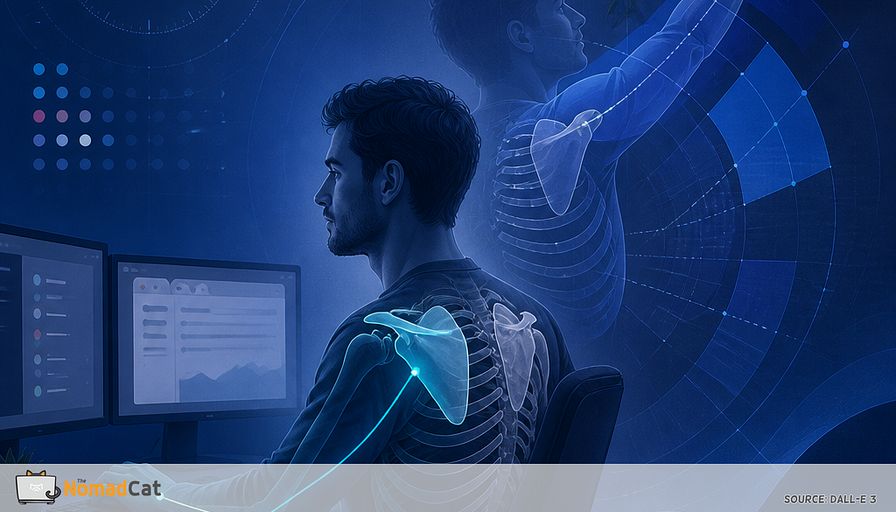
A desk day can feel like “nothing happened.” Just tabs, tiny mouse movements, 2 screens, Slack pings, and meetings that were supposed to be 30 minutes. No heavy lifting. No sweat. Yet somehow, later, the simple stuff gets weird. The first overhead reach feels pinchy. Taking off a tight top turns into a small wrestling match. Reaching into the back seat suddenly looks like a bad idea.
If you do 10 hours at a desk, and work bleeds into the evening, none of this is surprising. It also makes it hard to take polished health advice seriously. Fair. I’ve been doing the mostly-remote thing for years (Berlin 2017–2023, and now Lisbon since 2023), often on bad chairs and worse desks, sometimes past midnight. My wife is a trainer and nutritionist and reminds me to sit straight regularly. I usually manage about 3 minutes.
This is the overhead invoice. Not because you “sat wrong” or failed a posture test. More because the body is good at choosing a default configuration and then sticking with it. Hours of hands-forward work quietly teaches the system what positions it should keep ready, and which ones it can stop offering on demand.
This article lays out a plain model for why that happens, without turning it into a moral lecture or a 12-week personality change.
You will get
- a simple explanation of the forward-ready desk configuration and why it can make overhead or behind-the-back reaching feel sketchy later
- the basic mechanics that matter most for a clean overhead reach, in a way you can actually feel
- a few cheap “log file” checks that hint the desk setup is winning, especially on the mouse side
- 1 small, testable 20-second micro-input you can plug into the day to keep overhead available, plus the common failure modes that make it noisy
- clear guardrails for when it stops being a desk problem and deserves a proper medical look
No posture shame. Skip the productivity-hacking cosplay. Just a systems view of why “sedentary” work still counts as physical input, and how a tiny interrupt can sometimes change what your shoulders are willing to do after 6 to 10 hours of being politely stuck in front of a screen.
The overhead invoice after a normal desk day
A desk day is still physical input
A normal day looks like tab switching, tiny mouse precision, 2 screens, Slack pings, and 30-minute calls that become 90. It feels sedentary, like “no physical effort,” yet the same small positions are repeated for hours with little variation. A full day can pass without feeling physical at all.
The useful part is not guilt about posture. It is that the body picks a default configuration to get the job done.
The forward-ready default config
The setup repeats itself. Elbows slightly in front. Shoulder blades subtly forward. Breathing smaller. Ribs quiet. Not a moral failure. Just an efficient default for screens and precision work, like a laptop that boots into the same power profile every morning.
Research on computer work shows sustained shoulder and arm postures, and muscle activation patterns can stay “on” longer than people think—especially on the mouse side, which often does the quiet extra work all day (Waersted et al. 2010; Visser & van Dieën 2006; IJmker et al. 2007). That maps cleanly to the later “why is my mouse side 10 to 20% worse?” log.
This forward-ready setup works all day until life asks for a different direction.
When life asks for overhead or behind-the-back
You can feel fine at the desk, then later an overhead reach feels pinchy, weak, or just sketchy. The “invoice” tasks are boring everyday stuff.
- putting something on a high shelf
- grabbing an overhead bin
- washing or combing hair
- taking off a tight top
- reaching into the back seat
This is a simple model linking “all day in front” to “overhead feels sketchy,” plus 1 small, testable micro-input during the day to see if the system still remembers overhead as an option. (Short microbreaks have evidence behind them; details below.)
The desk day reach tax in plain mechanics
Forward reach becomes the default contract
A long desk day is basically a long-term contract with “arms slightly forward.” Efficient for typing and mousing, so the shoulder blades live a bit more forward too. No drama. No posture shame.
But efficient is not free. After hours there, the system gets less interested in offering other options later, like overhead or behind-the-back. Small changes in upper-back position can change shoulder range right away (Kebaetse et al. 1999; Finley & Lee 2003).
The ribcage is the track the scapula rides on
The scapula is basically a sliding plate on your ribcage. Biomechanics define scapular motion relative to the thorax (Wu et al. 2005). Meaning: if your ribs are stuck up, stuck down, or just held quiet all day, the shoulder blade has a worse surface to slide on.
A useful analogy is a drawer in a cabinet that is slightly tilted. The drawer still opens, but it scrapes. You start using weird angles.
Stabilizers that resist overhead
During screen work, some muscles become low-grade defaults. Lats and teres can act like a gentle downward seatbelt while the hand does precise stuff on a mouse. Again, not “tight,” not a diagnosis. Just a system choosing stability.
When those stabilizers get fatigued or over-used, scapular motion and timing can shift. Upward rotation may feel less available late in the day (Ebaugh, McClure & Karduna 2006).
Borrowed motion
If overhead suddenly feels “necky” or “archy,” it can be the body finishing the job with substitutions, not a sudden injury.
Common substitutions
- neck shrugging to finish the last part of the reach
- ribs flaring up to fake extra range
- low-back arching for height
- head going forward like it wants to help
Real bodies are messy, but the idea is simple. When 1 part does not contribute, the others improvise.
What an overhead reach actually needs
A 3-part checklist you can feel
Overhead reach is not a single stretch. It is coordination between 3 moving pieces.
1) the ribs participate a bit so the upper back is not frozen
2) the shoulder blade rotates up and slides on the ribcage
3) the arm bone rotates as it goes up, so it clears space
When any 1 part stops contributing, the other 2 start improvising. It is less “you need more flexibility” and more “the system forgot the full sequence.”
Normal range is not a perfect 180° target
If you test yourself, do not treat 180° as the only passing grade. It is a traditional reference, not a population average. Many healthy adults are below that, and shoulder range tends to drop with age (Gill et al. 2020).
A more realistic target is enough range for life, with a clean feeling.
Tiny angle changes are often noise so track function instead
Small range differences can be measurement error. In clinical goniometry, changes under roughly 10° can be noise, and even 10 to 15° is sometimes needed to be confident a change is real.
So track boring function instead.
- did washing hair feel smooth or did the neck take over
- did reaching a high shelf require a rib flare and a shrug
The exact cutoff does not matter. Noticing trend matters.
Early log files that show the desk config is winning
Forward reach can feel fine all day, then overhead feels blocked or weird. That contrast is often more about exposure and a nervous system “state change” than sudden damage.
A few practical checks
- where does effort show up during the reach, shoulder or neck
- does 1 long exhale make the shoulders drop a lot, suggesting you were quietly elevated or breathing high
- is 1 side about 10 to 20% worse, often matching the mouse side
Evidence is stronger for mouse-side activation asymmetry than for consistent range or kinematic asymmetry (Waersted et al. 2010; Visser & van Dieën 2006; IJmker et al. 2007). These are not diagnostic signs. They are just cheap “logs.”
If 1 to 2 of these show up, the next section is a 20-second patch to test a configuration change during the day.
The 20 second patch that keeps overhead available
The overhead option patch
Treat this like a reversible experiment, not a new lifestyle project. 20 seconds, 2 to 4 times per day, attached to seams that already exist. End of a meeting. Right after hitting Send. When a build finishes. No timer, no gear.
Microbreak studies are pretty consistent that very short, frequent breaks can reduce discomfort with minimal or no performance cost in desk work (Galinsky et al. 2000; Dababneh et al. 2001; Wendsche & Lohmann-Haislah 2017).
Step 1, 5 seconds
1 longer quiet exhale, like fogging a window. Let the ribs soften down without collapsing. No dramatic breathing. Just a tone downshift so the ribcage is a better base. Keep expectations modest. Breathing helps, but it is not a magic shoulder fix.
Step 2, 10 seconds
Reach 1 arm forward at about shoulder height, as if you want to touch an invisible wall. While you reach, turn the ribs a few degrees away from that arm and let the shoulder blade slide around the ribcage. Think “reach the wall” and “let the blade travel,” not “squeeze my shoulder blade.” Stop before shrug.
Step 3, 5 seconds
Same arm, 1 slow easy overhead reach only to the first hint of resistance, then back down. No forcing—stop at first resistance; if you feel a pinch, you went past your current option.
How to know if it is working
Use real life. The first overhead reach after work, does it feel less pinchy and less shruggy.
If you want a tiny check for 3 to 5 days, keep it small.
- 1 note per day, overhead felt normal yes or no
- or sketchy 0 to 10
Then stop and decide if it earned a place. No dashboard.
This is not a 12-week shoulder program. It is a cheap bias-interrupt during a desk day. If symptoms persist or function keeps dropping, meaningful rehab effects usually come from progressive multi-week exercise programs, not 20-second patches (Kuhn 2009; Holmgren et al. 2012).
Failure modes and guardrails
The fastest way to make this patch noisy is to turn it into a big stretch. Pushing past the first resistance can create pinching, then guarding, then the whole system gets louder.
Another common mistake is forcing the shoulders down. That is the wrong direction for an overhead task. For some people it can fight the motion you need and pull the neck in as backup (Ludewig & Cook 2000).
Only doing it at night turns it into a bedtime rescue. The point is during vs after. Interrupt the bias while it is being built.
When to stop debugging and get checked
Consider prompt medical review if there is
- sharp pain that escalates fast
- new true weakness
- numbness or tingling
- worsening night pain
- marked range loss after an incident
- instability or strong apprehension
Imaging is not a failure, it is a tool. Early routine imaging is often low value without red flags, and it can add noise without changing the plan. Many pathways use a conservative window like 6 to 12 weeks before imaging or specialist referral unless function is dropping or the story is concerning.
If symptoms look like neck nerve involvement, the decision tree changes. Clinicians use screening clusters for cervical radiculopathy rather than guessing (Wainner et al. 2003) (meaning: a few quick tests to see if the neck is the source).
If your day is just tabs, Slack, and a mouse arm parked slightly forward, it can still leave a physical footprint. The body picks a default configuration for efficiency, then it gets a bit stubborn about offering other options later. That is why the first overhead reach after work can feel pinchy, necky, or weirdly effortful, even if nothing “happened.”
The main idea is simple. Overhead is a coordination problem: ribs, shoulder blade on the ribcage, and the arm rotating as it goes up. When desk input biases that system, you often see small substitutions like shrugging or rib flare.
Sometimes the whole thing shows up as an “invoice” paid in boring moments: hair, shelves, back seats, and tight shirts—right when the day finally stops being screens.


